Unlock the Potential of Your Frame TV: More Than Just a Screen
The Samsung Frame TV is an incredible piece of technology designed to blend seamlessly into your decor, yet many owners struggle to find the right high-quality art to display. Using low-resolution images defeats the purpose of the Art Mode's realistic display quality.
The secret to perfectly styling your Frame TV lies in using high-resolution digital art downloads specifically formatted for TV display ratios. This approach gives you instant access to curated pieces, like our Serene Vineyard Landscape, ensuring a polished, gallery-like look every time.
Why Digital Art is the Best Choice for Frame TV
Pixel-Perfect Resolution: A standard Frame TV requires art in the precise 16:9 aspect ratio to display correctly without awkward cropping or thick borders. Our digital downloads are optimized for this ratio, guaranteeing a crisp, clear, and perfectly fitted image, making it one of the best Samsung Frame TV Art hacks.
Instant Variety: Tired of the same default images? Digital downloads allow you to change your decor with the seasons, holidays, or even your mood. You can switch from a calming watercolor landscape in the morning to a dynamic abstract piece by evening.
Cost-Effective: Compared to buying subscriptions or physical prints, an instant download provides a permanent, high-quality file that can be used repeatedly across different media (TV, physical prints, phone backgrounds).
Featured Art: The Perfect Fit for Your Frame TV
We've specifically formatted our most popular tranquil watercolor pieces to shine in the Frame TV's Art Mode.
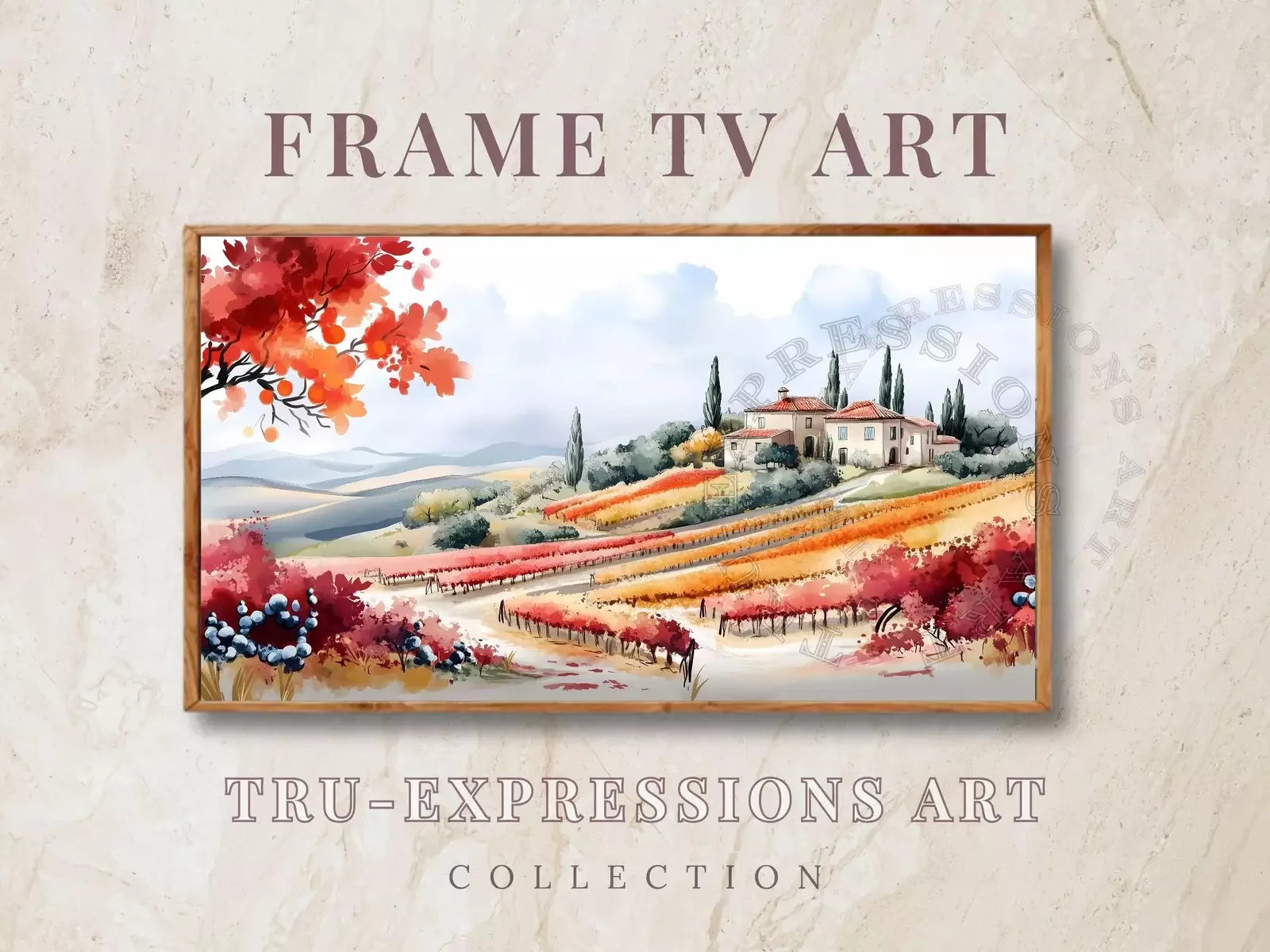
Featured Listing: Serene Vineyard Landscape in Watercolor
This image depicts a serene landscape featuring a vineyard in a picturesque setting. The gentle brush strokes and a harmonious blend of autumn colors—red, orange, and yellow—create a warm and inviting atmosphere. It transforms your screen into a breathtaking window overlooking a charming, cypress-dotted countryside.
📌 The Frame TV Advantage: The soft watercolor style and muted color palette enhance the Art Mode's matte finish, making the image look like a true, canvas-mounted painting rather than a digital screen.
🛒 - Download the 16:9 optimized file instantly and start displaying.
Quick Guide to Uploading Your New Art
It’s easy! Simply download the 16:9 optimized file, upload it using the SmartThings app, and select the 'No Mat' option for a full-screen, realistic presentation.
Ready to elevate your home? Explore the full collection of high-resolution digital art for Samsung Frame TVs today!